The Scorer APP is the screen used to score each game from courtside. Everything recorded on it appears instantly on the public event site: scoreboard, standings and bracket. This guide follows a full game, from start to finish.
- QR PER GAME
- OFFLINE-FIRST
- FIBA 3X3 CLOCK
- PLAY-BY-PLAY
- 1 Access (QR or link)
- 2 Pick the game
- 3 Pre-game
- 4 Score live
- 5 Close and sign the sheet
01Access the Scorer APP
Scorers don't need an account in 21points. There are two ways in:
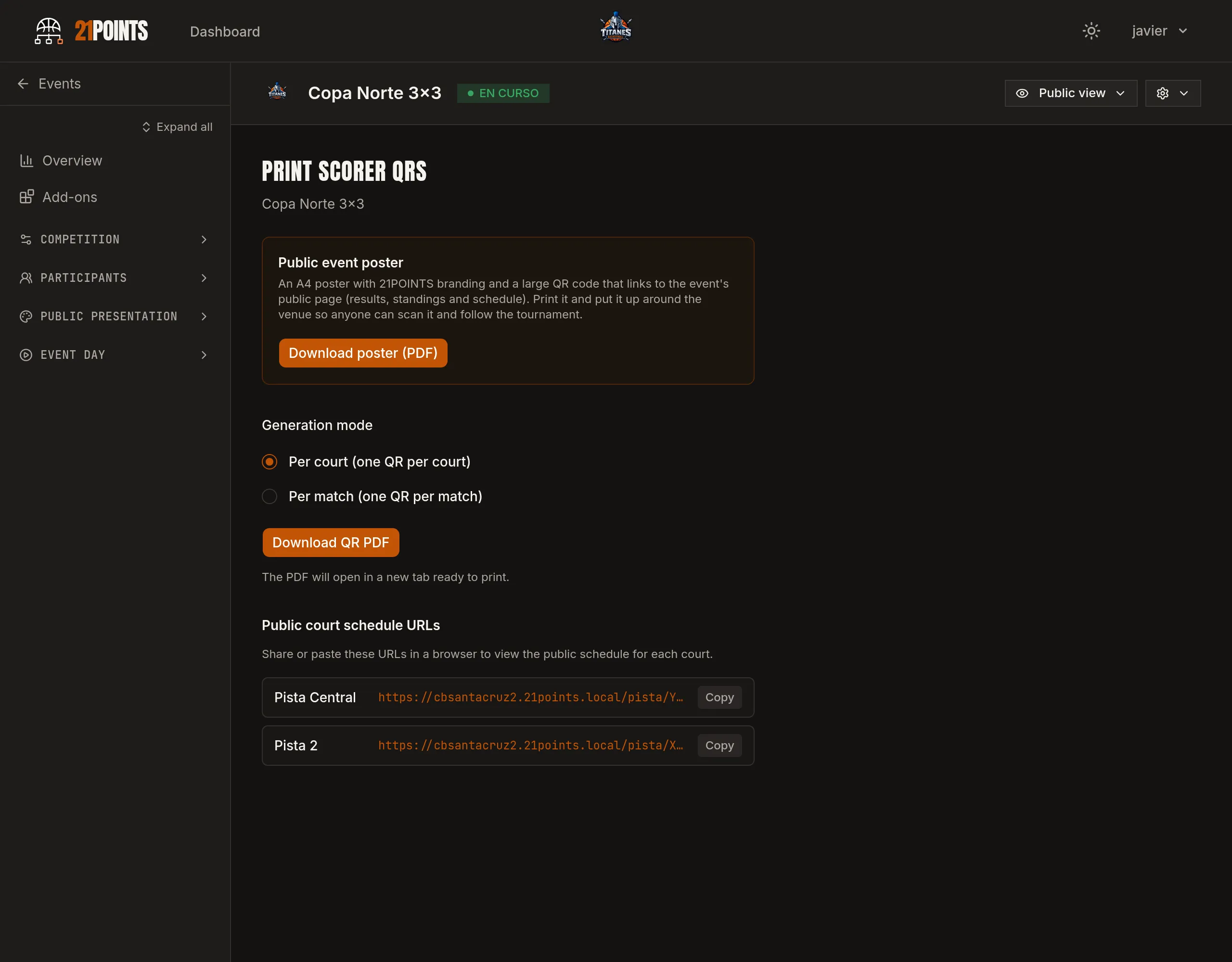
- Court QR — the usual route. From the event, Print Scorer QRs generates a print-ready PDF, with one QR per court or per game. You hang it on the table and whoever scores scans it.
- Magic link — the scorer requests access with their email and receives a link that expires after 30 minutes.
Nothing to install: it opens in the phone or tablet browser. Even so, it can be installed as an app on the home screen, which is recommended if you're scoring all day.
02Pick the game
If you came in via the court QR, you'll see its games grouped into Scheduled, In play and Finished. Tap the one you're going to score. (With the per-game QR you go straight into that game.)
03Pre-game
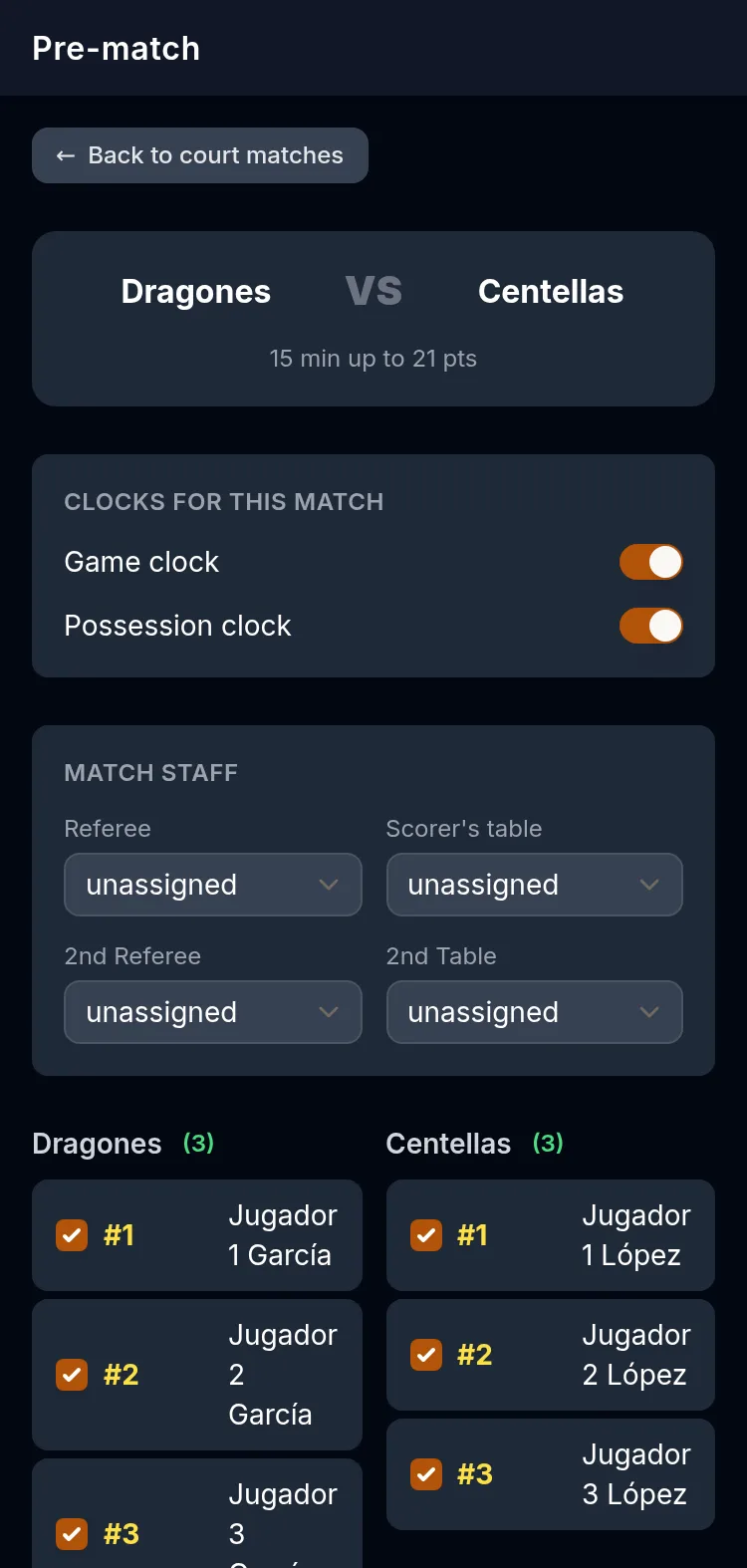
Before the ball rolls, the screen guides you through the essentials:
- Opening possession draw — flip the coin between the captains, mark who won and where they want possession.
- Jersey numbers — assign a unique number (0–99) to each player. Once the start is confirmed, they're fixed for the rest of the tournament.
- Game staff — referee and scorers' table (they can't be the same person).
If a team hasn't checked in or is below the minimum number of players, the app warns you and offers to continue anyway or declare a walkover. In simple scoring categories this step is reduced: no players or numbers are recorded. When everything's set, tap Start game.
04Score live
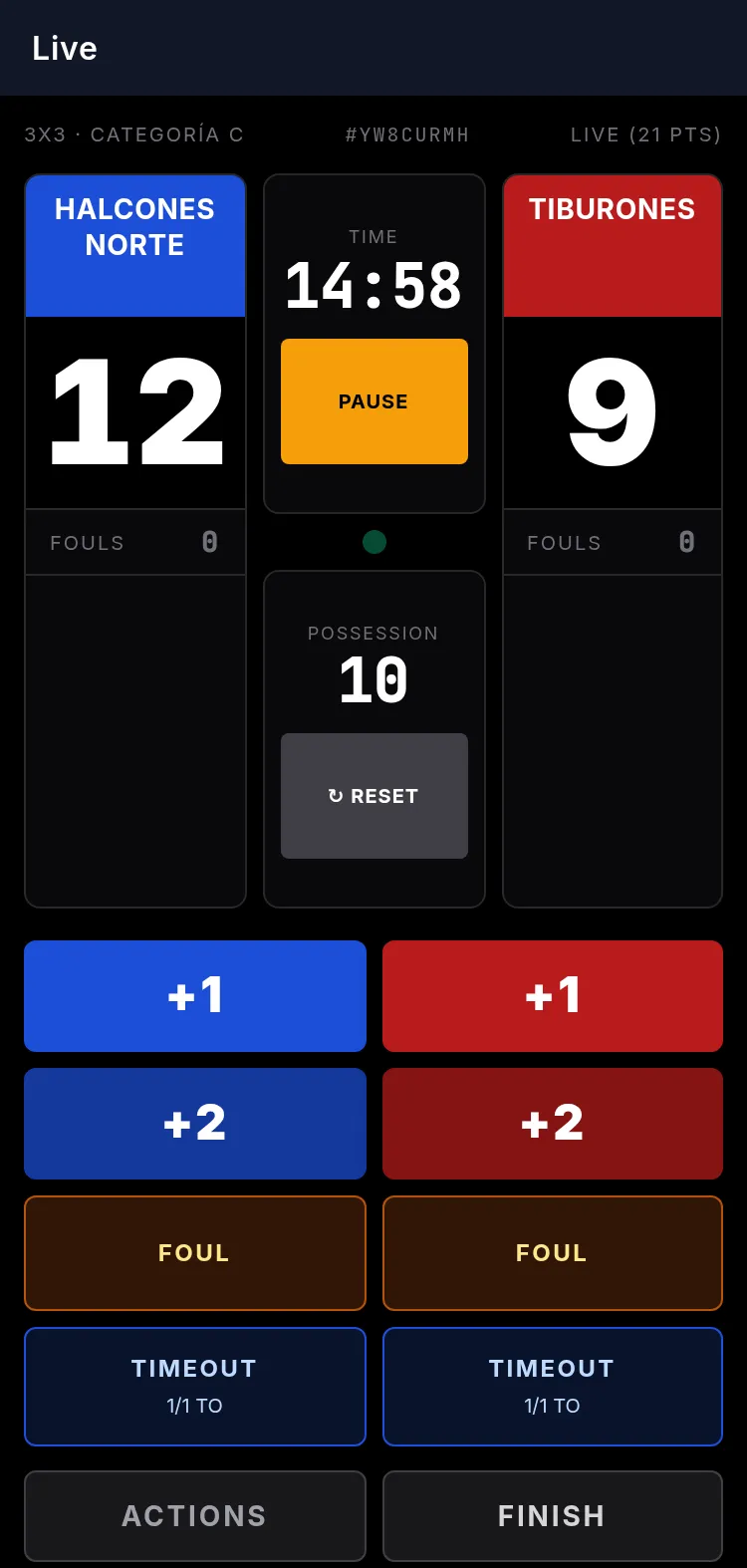
Once in play, you record points (1 and 2), fouls, free throws and timeouts, with the game clock and the shot clock on the same screen. The app applies the rules for you: when you mark a foul you choose the type (in play, offensive, on a shot, technical, unsportsmanlike or disqualifying) and it knows how many free throws apply, whose possession it is and when a player is fouled out.
The endings are covered too: it warns when the mercy rule points are reached and, if there's a tie, it launches overtime, asking you for the opening possession.
A mistake? From Actions you can undo the last five, from the most recent to the oldest.
05If you lose connection
Sports halls have poor coverage; the app expects it. If the connection drops, keep scoring as normal: the actions are saved on the device and a notice tells you how many are pending sync. As soon as the network is back, they're sent on their own. Nothing is lost and there's nothing to do.
06Close the game and sign the sheet
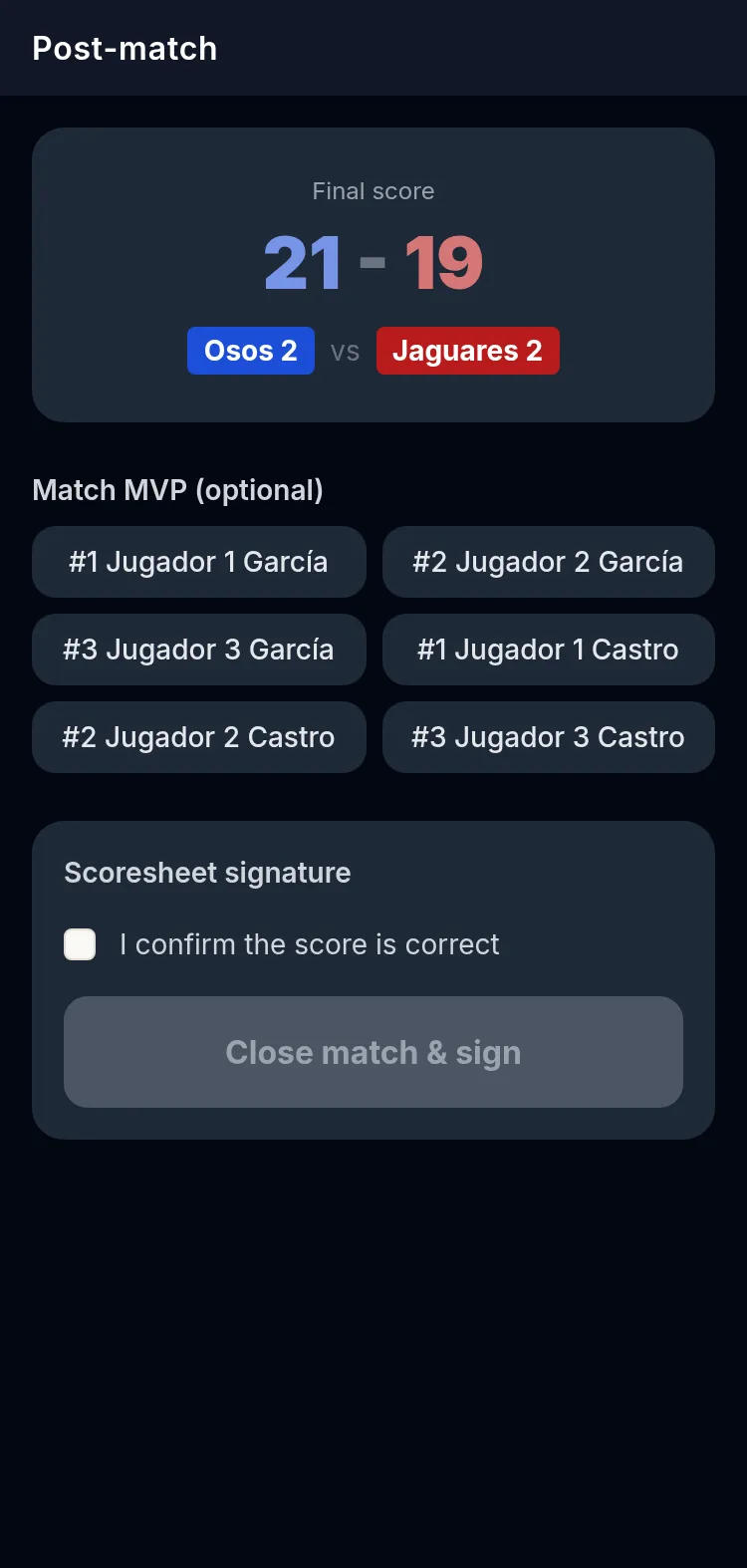
When you tap Finish you move to the post-game: the final result is shown and you can pick the MVP (if the event has the MVP voting add-on, the public votes). Then the sheet is signed: the referee and the table sign on the screen and it's confirmed the score is correct. With that the game is closed.
For every finished game the play-by-play is kept: the record of everything that happened — points, fouls, timeouts, overtime, signature — action by action.
Frequently asked questions
Do scorers need a 21points account?
No. They get in with their court QR or a magic link by email that expires after 30 minutes. No passwords to hand out on tournament day.
Does it work offline?
Yes. You keep scoring and the actions sync on their own when the network comes back.
What if I make a scoring mistake?
You can undo the last five actions. If the mistake is in the clock, an organiser fixes it from the Admin panel, PIN-protected.
How long until the result shows on the public site?
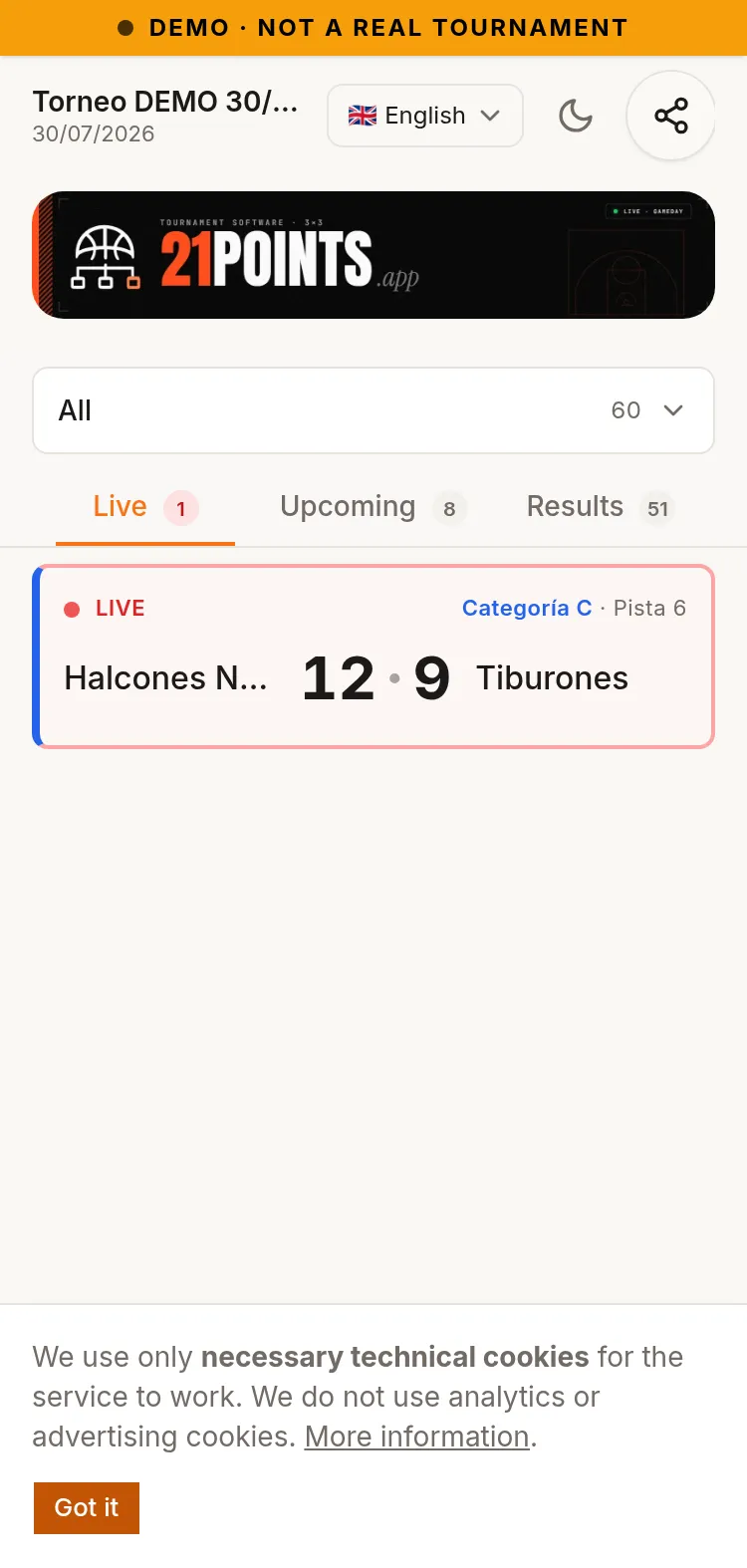
It's immediate: it's published as you score, while the game is on.
Can I score without player records?
Yes, with simple scoring categories: only points per team, no players or numbers. The Free mode leaves it that way by default when creating the tournament, adjustable category by category. Strict 3×3 (FIBA) mode, however, requires detailed per-player scoring.